Live edge detection
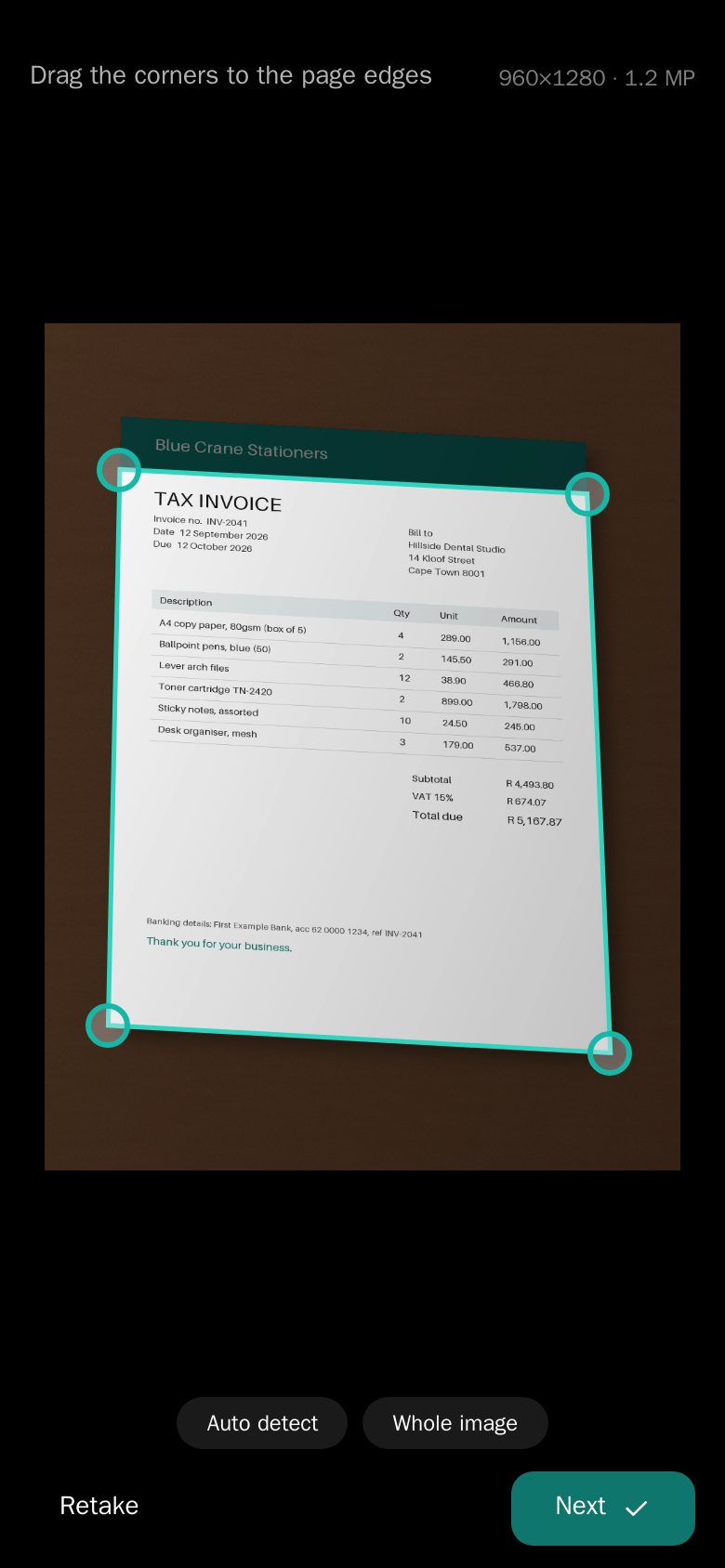
The camera spots the page as you aim, and the torch switches on automatically so pages come out bright.
Point your camera at a page. CamScanPDF finds the edges, straightens it, removes shadows and reads the text, so every invoice, contract and receipt is one search away.
Works on iPhone, Android, PC and Mac. No app store download.
Built for the paperwork of real life: invoices, delivery notes, leases, school forms and receipts.
The camera spots the page as you aim, and the torch switches on automatically so pages come out bright.
Skewed photos are turned into flat, square pages. Not quite right? Drag the corners with a built-in magnifier.
Magic colour, greyscale or crisp black & white. Shadows from your hand and phone are cleaned away.
Every page is read with OCR, in English and Afrikaans. Search by title or by any word inside your scans.
Add pages, drag to reorder, and re-crop or change the filter any time. The original photo is always kept.
Scan on your phone, download on your laptop. No signal? Scans are queued and upload when you're back online.
No settings to fiddle with. Just point, check and share.
Hold your phone over the page. CamScanPDF finds the edges for you.
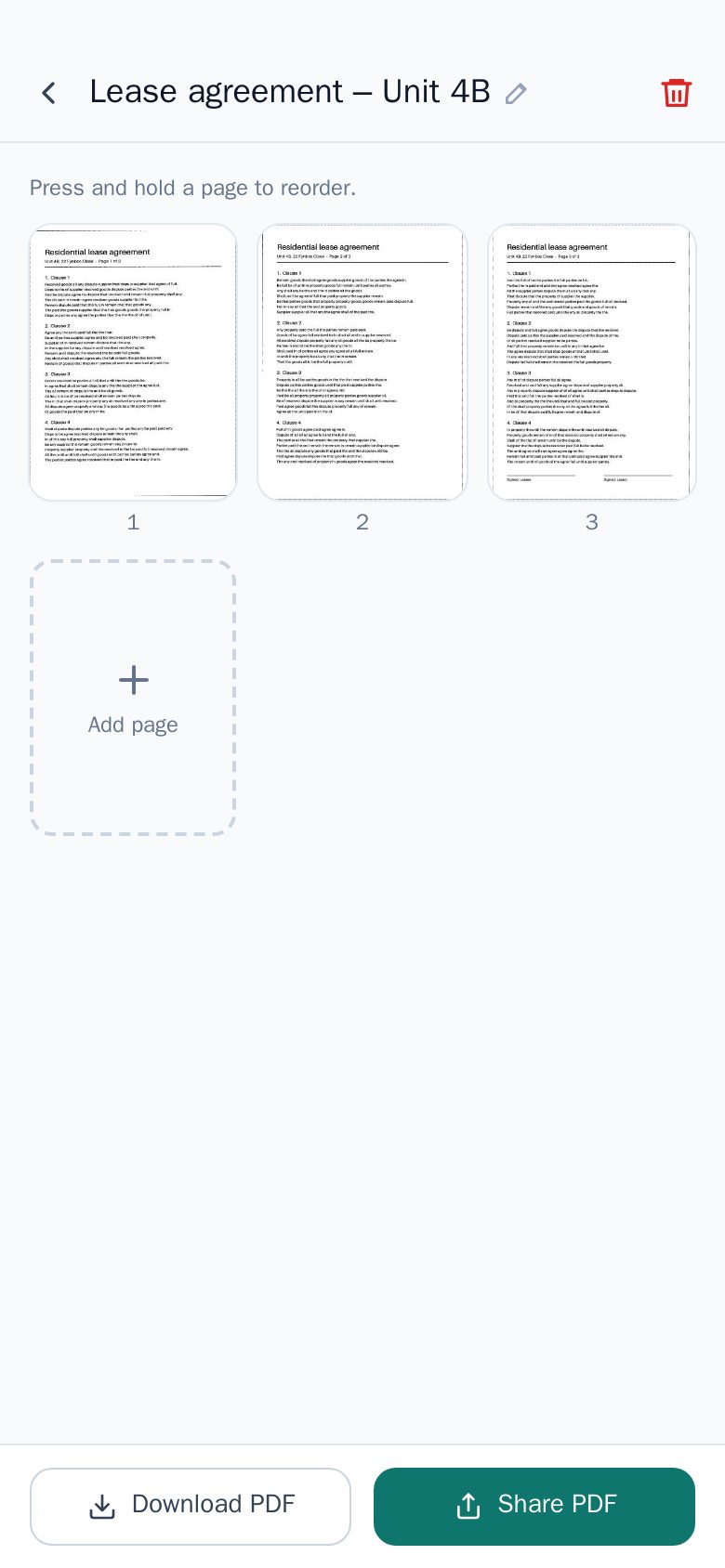
The page is straightened, shadows are removed and the text is recognised.
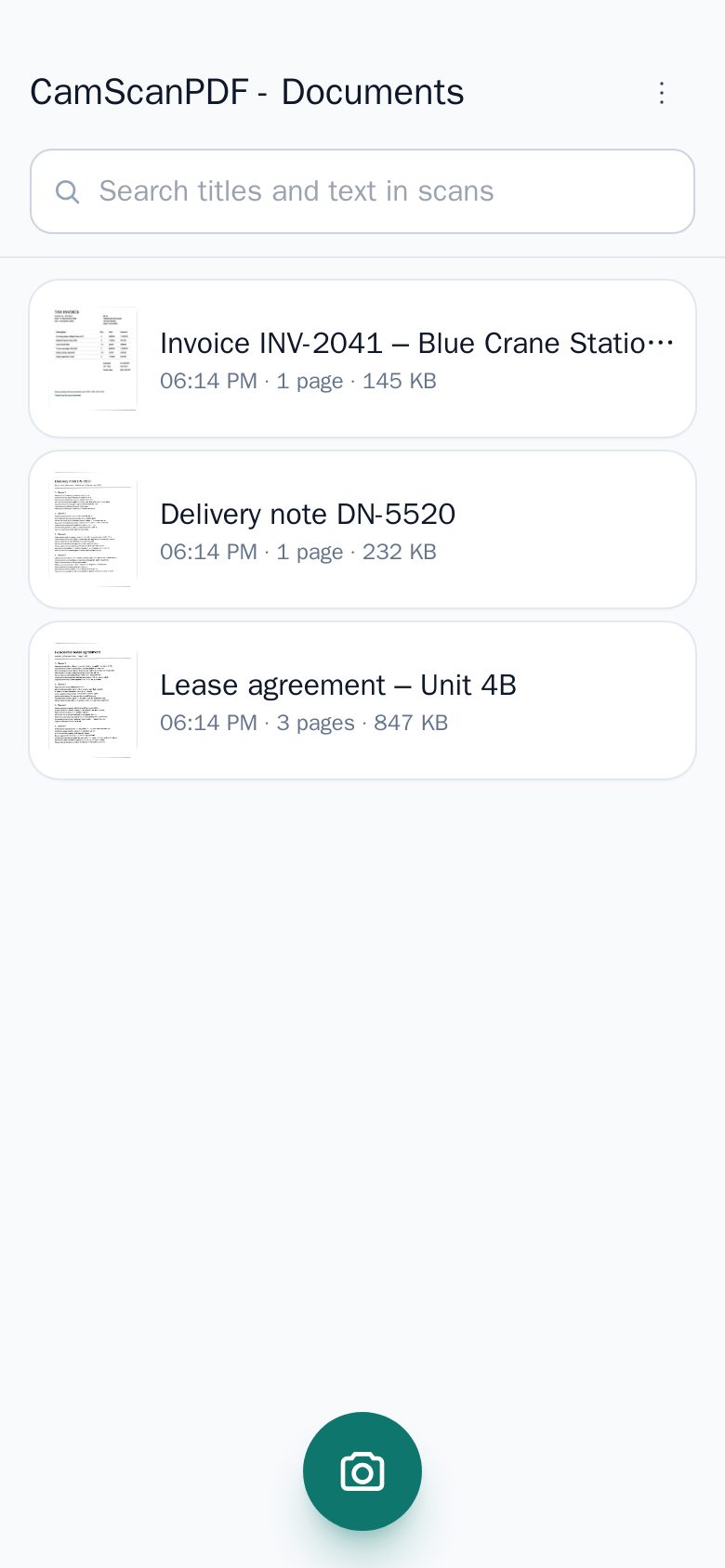
Share or download the PDF, and find it again later by searching any word in it.
CamScanPDF is free to use right now — every feature, no watermarks, no ads. We may add optional paid plans in the future. If we do, we'll tell you well in advance, and your scans stay yours.
CamScanPDF installs straight from your browser in a few seconds and opens like any other app. On phones and tablets, install it first, then create your free account inside the app.
Create a free account and scan your first page in under a minute.
Start scanning — it's free